Philips 2200 coffee not flowing: checks in the right order
Start with the water path before changing the grinder. A badly primed AquaClean filter, trapped air or a dirty brew group can all stop the flow.
Before you start
- ✓Confirm an EP222x or EP223x model on the rating plate.
- ✓Fill the water tank and seat it fully.
- ✓Let the machine finish its start-up before touching the brew group.
Checks to run in order
Series 2200 · EP222x / EP223x LatteGo
- 01
Test without AquaClean
Remove the filter temporarily, refill the tank and request hot water. If flow returns, prime a new or recent filter exactly as Philips shows; replace it if it is older than three months.
✓ After this stepHot water flows: the filter or its priming caused the blockage. - 02
Purge trapped air
Dispense two or three cups of hot water. Refill the tank between attempts rather than allowing the pump to run dry.
✓ After this stepThe water stream becomes steady before you test coffee again. - 03
Rinse the brew group
Switch off and wait until the machine is silent for 15–20 seconds. Remove the group using PUSH, rinse it with lukewarm water and let it air-dry. Clear the coffee outlet holes gently.
✓ After this stepThe group moves freely and locks back in without force. - 04
Run the indicated maintenance
If Calc/Clean is flashing, remove AquaClean and complete the full Philips descaling program with CA6700. It can take about 30 minutes and must not be interrupted.
✓ After this stepThe indicator clears only after the complete rinse phase.
Manufacturer-compatible references
Use these exact references to confirm compatibility before ordering.
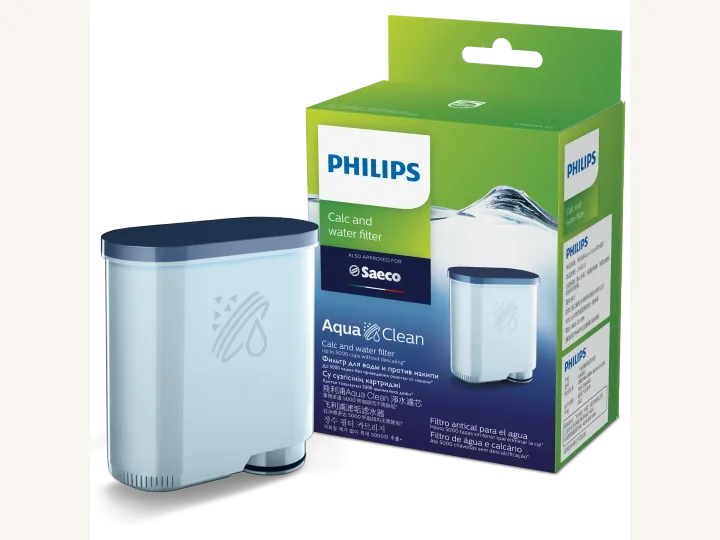
Philips AquaClean Filter
CA6903/10Compatible with this machine series according to the manufacturer.
Official manufacturer source ↗View the machine and its accessories
Manufacturer instructions used
Official manufacturer source
FAQ · Philips Series 2200
Why did my Philips 2200 stop after fitting AquaClean?
A new filter must be primed and activated. If the orange light has already stopped flashing, Philips says to descale before activating the replacement filter.
Can I remove the brew group during descaling?
No. Let the active program finish. The group should only be handled after the machine is switched off and has returned to its resting position.